BetPanda Mobile: App Status, PWA and Browser Experience
 Available in GB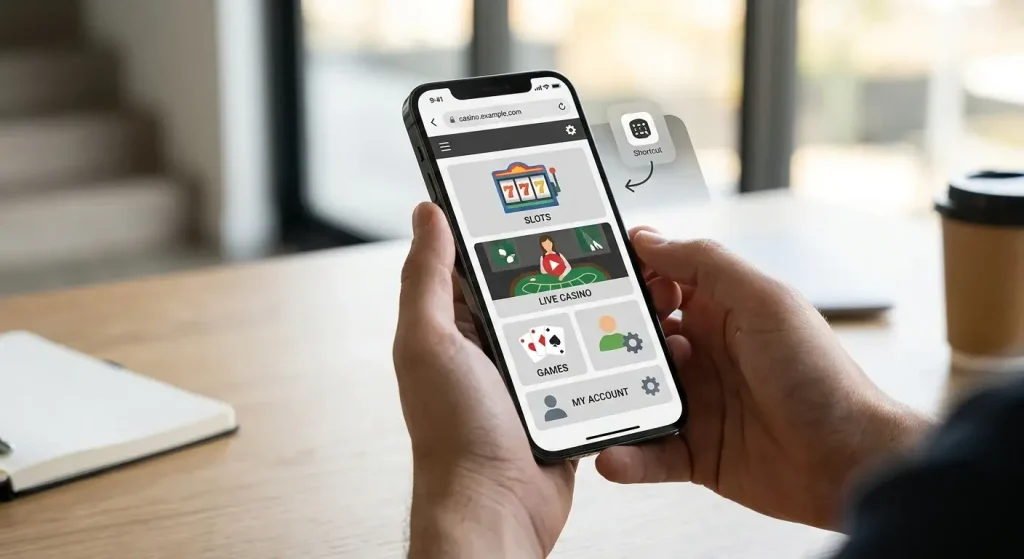
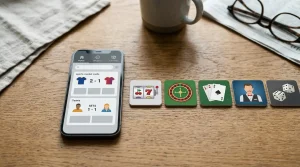
BetPanda does not currently provide a native iOS App Store app or a native Google Play app. The verified access route is the mobile-optimised website or progressive web app, so UK readers do not need to install a conventional casino application to use the service on a phone. That distinction matters because a PWA behaves more like a website saved to the home screen than software downloaded from an app store.
For most practical tasks, the question is therefore not “which BetPanda app should I download?” but whether the browser experience is good enough for the way you play. The answer depends on what you do most often: quick slot sessions, streamed live tables, sportsbook browsing, cashier checks or account management. Do not use unofficial APK files or third-party download pages that claim to offer a BetPanda Android app.
Table of Contents
- Native app versus PWA: what BetPanda actually offers
- Why avoiding unofficial BetPanda APK downloads matters
- How the BetPanda mobile casino fits different game types
- Live dealer play is where connection quality matters most
- Sports betting works well with browser navigation when the betslip stays clear
- Account and cashier access without a native app
- Portrait, landscape and browser controls
- Session continuity: what to check before longer mobile play
- What the browser model gains and gives up
- Whether BetPanda’s mobile setup is enough without a native UK app
- Recommend
Native app versus PWA: what BetPanda actually offers
A native app is installed from an operating-system store and runs as a packaged application. A progressive web app uses web technology but can be designed to feel more app-like, including launching from a home-screen icon and using a phone-friendly layout. BetPanda’s verified mobile model is the second one.
That means there is no official App Store version to search for on iPhone and no verified Google Play version to install on Android. The safer route is to navigate to the official BetPanda website in a modern browser and, if your browser offers the option, save that page to the home screen. The shortcut is still opening the web product rather than a separate native application.
This distinction also changes how updates work. A native app can require a store update before new code reaches the device. A browser/PWA experience is largely updated on the website side, so the next session can load the current interface without a traditional app-store release cycle.
Why avoiding unofficial BetPanda APK downloads matters
An APK is an Android application package. No verified native Google Play app has been established for BetPanda, so a third-party APK described as the “official BetPanda app” should not be treated as equivalent to the website. Installing software from an unrelated download source creates a different security problem from simply opening the casino in a browser.
A cloned or altered package can request permissions, capture credentials or imitate an account screen. Even if a file uses the right name and logo, that does not establish that BetPanda published it. The practical rule is simple: use the current official web domain, keep the phone and browser updated, and avoid sideloading software merely to make the service feel more app-like.
If you want faster access, a browser shortcut gives you an icon without adding an unverified executable to the phone.
How the BetPanda mobile casino fits different game types
A mobile browser can be perfectly adequate for many casino sessions, but different products put different demands on a phone. Slots generally suit short portrait sessions well because the interaction is concentrated in a single game frame. Larger table layouts can be more comfortable in landscape, while some menus work best in portrait.
The broader BetPanda games guide explains the casino categories and providers rather than repeating them here. On a phone, the useful checks are whether the game launches cleanly, whether essential controls remain visible after rotation, and whether navigation back to the lobby is obvious.
Do not judge the whole mobile casino from one title. Individual games can use different interfaces, aspect ratios and streaming technologies, so the experience can vary even inside the same lobby.
Live dealer play is where connection quality matters most
Live casino places a heavier load on mobile data because it combines continuous video with interactive betting controls. A stable connection and a screen large enough to read table limits, betting areas and game state matter more here than they do for a simple slot.
The BetPanda live casino page covers the live product itself. For mobile use, concentrate on practical viewing conditions: rotate the phone when necessary, avoid covering controls with browser overlays, and use a reliable Wi-Fi or mobile-data connection. If a table stream becomes unstable, reconnecting is usually a better first step than repeatedly tapping controls while the interface is lagging.
Streaming over mobile data can also consume considerably more bandwidth than browsing the lobby, so data allowance and battery level are worth checking before a long session.
Sports betting works well with browser navigation when the betslip stays clear
Sportsbook use has a different rhythm. You may move rapidly between sports, competitions, events and markets, then return to a betslip that must preserve your selections. On a small screen, clear navigation and an easy way to reopen the betslip matter more than decorative features.
Current third-party coverage describes BetPanda’s sportsbook as usable through mobile web rather than a native iOS or Android application. For the betting product itself, see the BetPanda sportsbook page; on mobile, browser access is the normal route rather than a fallback.
When several markets are open, check the selection, odds and stake before confirming. Small screens make it easier to overlook a changed market or tap the wrong line if you are moving too quickly.
Account and cashier access without a native app
Because the account runs through the web product, registration, login, cashier checks and possible verification steps do not depend on installing an app. The BetPanda registration guide explains the account and KYC model in detail. For phone users, the most important distinction is that the browser session still handles sensitive account actions.
That makes basic browser hygiene important. Type or bookmark the official address rather than following an unexpected link from a message. Do not save passwords on a shared phone. Use the device lock, keep the operating system current and log out when using a device that other people can access.
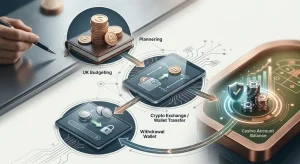
For crypto transactions, a phone can also be handling a wallet application at the same time. Recheck the destination address and network rather than assuming that switching between apps has preserved every value correctly.
Portrait, landscape and browser controls
A responsive site can change its layout as the available screen width changes. That makes orientation a practical tool: portrait is often better for menus and account screens, while landscape can give a live table or wide game interface more room. There is no reason to force one orientation for every task.
Browser chrome also takes screen space. Address bars, tab controls and bottom toolbars can cover part of the interface until they collapse. If a control seems missing, scroll slightly, change orientation or reopen the page before assuming the site itself is broken.
Home-screen installation can make a PWA feel cleaner because it may open with less browser furniture, but it does not turn the service into a native App Store or Google Play application.
Session continuity: what to check before longer mobile play
Phones are interruption-heavy devices. Incoming calls, battery-saving modes, switching to a wallet or messaging app, and weak background connectivity can interrupt a casino session. Before a longer session, make sure the battery is adequate, the network is stable and you can return to the correct browser tab easily.
If a game or live table is interrupted, do not assume the visual state on screen is the final account state. Reopen the product and check the recorded balance or history where available. The website’s account records are more useful than guessing from a frozen animation.
This is particularly important when moving between the casino and a wallet. Complete one step at a time and verify the status before starting another transaction.
What the browser model gains and gives up
The main advantage of BetPanda’s mobile-web approach is simplicity: there is no store download to maintain, and the same account can be reached through a normal browser. It also avoids the temptation to hunt for an unofficial package when an app-store listing is absent.
The trade-off is that the experience depends more visibly on browser behaviour, connection quality and the quality of the responsive website. Features associated with deeply integrated native apps should not be assumed merely because a home-screen icon exists. A PWA shortcut is convenient, but it remains part of the web service.
For readers deciding whether that is enough, the right test is task-based: can you comfortably find a game, open a live table, manage the account and review cashier information on your own phone? That is more meaningful than whether the product has an app-store badge.
Whether BetPanda’s mobile setup is enough without a native UK app
BetPanda’s current mobile setup is built around the browser/PWA route, not native iOS or Google Play applications. That is sufficient for readers who are comfortable using a mobile website and who value having the same service without installing separate software. It is less appealing if a native store app is a requirement for you.
The strongest practical rule is to use the official web route and avoid unofficial APKs. Then judge the product by the parts you actually use: game controls, live-stream stability, sportsbook navigation, account access and cashier clarity. For the wider product picture, return to the BetPanda casino review.